
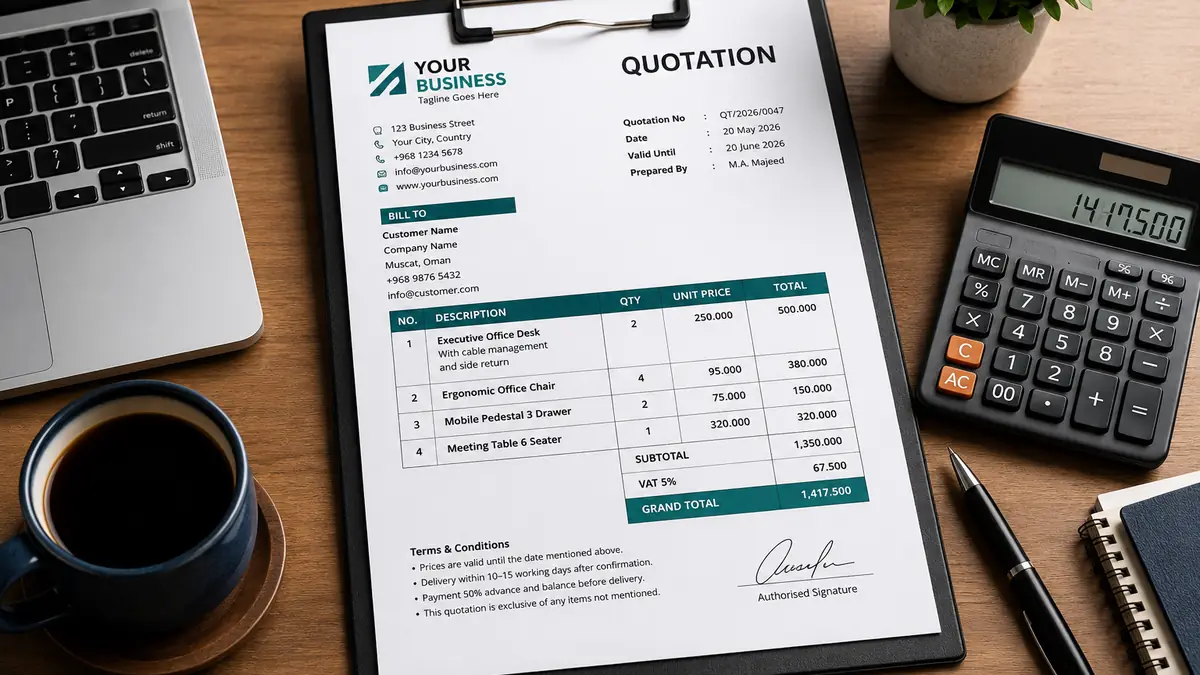
A professional quotation does more than show a price. It explains exactly what the customer will receive, how much it will cost, when the offer expires, and what conditions apply. A clear quotation can reduce misunderstandings, speed up customer approval, and make even a small business look organised and trustworthy.
This guide explains how to create a professional quotation for your small business using a simple, repeatable structure. It is suitable for service providers, furniture and furnishing companies, contractors, consultants, digital agencies, suppliers, and other project-based businesses.
A good quotation should clearly identify the customer, describe the work or products, show quantities and prices, explain taxes and additional charges, state the payment terms, and include an acceptance method.
What Is a Business Quotation?
A business quotation is a formal document that presents the proposed price and conditions for products, services, or project work. It is normally prepared before the customer confirms the order.
A quotation is not exactly the same as an invoice. A quotation requests approval, while an invoice normally requests payment after an order has been confirmed or completed.
Why a Professional Quotation Matters
Customers often compare several suppliers before making a decision. A well-prepared quotation helps them understand your offer quickly and gives them confidence that your business can manage the work properly.
- It reduces confusion: The customer can see what is included and excluded.
- It improves trust: Consistent branding and accurate calculations create a professional impression.
- It protects both sides: Written terms help prevent disputes about price, delivery, scope, or payment.
- It saves time: A reusable quotation format makes future proposals faster to prepare.
- It supports better record keeping: Every quotation can be tracked using a unique reference number.
Essential Information to Include
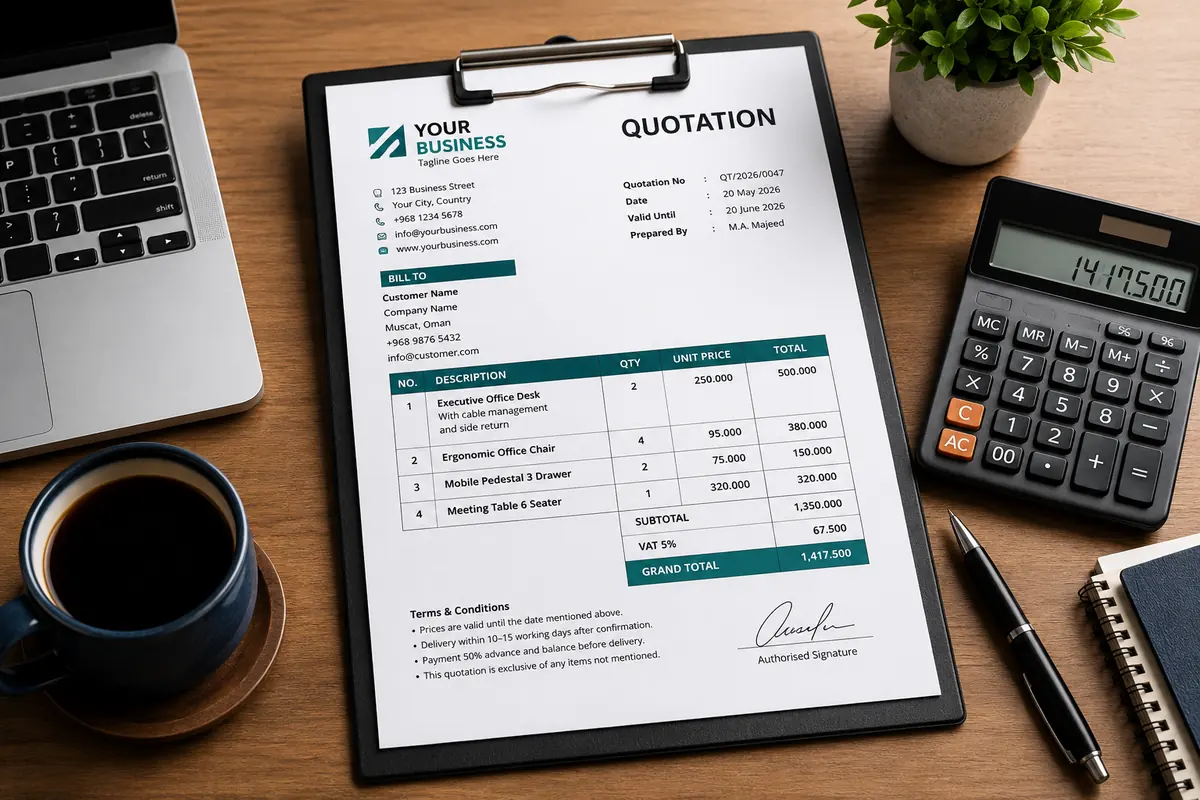
1. Your Business Details
Place your company information at the top of the quotation. Include the official business name, logo, address, telephone number, email address, website, and tax-registration details where applicable.
Use the same branding on every quotation. Consistent colours, fonts, and contact details make your documents easier to recognise.
2. Customer Details
Include the customer or company name, contact person, telephone number, email address, billing address, project location, and any customer reference number.
Check the spelling carefully. A quotation addressed to the wrong person or company can appear careless and may delay approval.
3. Quotation Number and Date
Every quotation should have a unique number. A simple numbering format may include the company initials, year, and sequence number.
Example:
QT/2026/0047
Also include:
- Quotation date
- Validity date
- Prepared by
- Customer enquiry or tender reference, when available
4. Clear Description of Products or Services
The description is one of the most important parts of a professional quotation. Avoid vague wording such as “office furniture” or “marketing service” without further explanation.
Describe the item or service in enough detail for the customer to understand what is being priced. Depending on the work, include:
- Product name or service name
- Dimensions or size
- Material and finish
- Colour
- Brand or model
- Quantity
- Installation requirements
- Delivery location
- Included accessories
- Relevant drawings or images
5. Quantity, Unit Price, and Total
Use a structured table so the customer can review the calculation easily.
| No. | Description | Qty | Unit Price | Total |
|---|---|---|---|---|
| 1 | Executive desk with cable management and matching side return | 2 | 000.000 | 000.000 |
Use one currency consistently and clearly label it. For businesses working with international suppliers, separate the supplier currency from the customer-selling currency in internal costing documents.
6. Additional Charges
Do not hide necessary expenses inside an unclear total. Depending on the project, show relevant charges such as delivery, freight, customs, installation, offloading, design, site measurement, or other approved costs.
If a charge is included in the unit price, state that clearly. If it is excluded, mention it in the exclusions section.
7. Tax or VAT
Show tax or VAT separately when required by the rules that apply to your business. The quotation should make it easy for the customer to distinguish the amount before tax, the tax amount, and the final total.
| Subtotal | 000.000 |
|---|---|
| Tax / VAT | 000.000 |
| Grand Total | 000.000 |
Terms and Conditions to Include
Terms and conditions should be easy to read. Avoid adding long legal wording that does not apply to the actual order.
Payment Terms
State the required deposit, progress payments, balance-payment timing, and accepted payment method.
Example:
A deposit is required with order confirmation. The remaining balance is payable according to the agreed delivery and installation schedule.
Delivery or Completion Period
Specify whether the delivery period starts from the purchase order date, deposit date, approved drawing date, final measurement date, or another agreed milestone.
Quotation Validity
Prices can change because of supplier rates, exchange rates, shipping costs, or material availability. Give the quotation a clear validity period instead of leaving the offer open indefinitely.
Warranty
Explain what the warranty covers, how long it lasts, and what may invalidate it. Do not promise warranty coverage that your supplier or business cannot support.
Exclusions
List important items that are not included, such as electrical work, civil work, permits, storage, after-hours installation, or modifications requested after approval.
Use Images When They Improve Clarity
Images are especially useful for furniture, equipment, signs, interiors, products, and customised work. A relevant product image can prevent the customer from approving the wrong model or finish.
Use clear images with consistent dimensions. Add a short label or item number, but avoid filling the image with promotional text. The written description should remain the main source of product information.
Common Quotation Mistakes
- Sending a quotation without a quotation number
- Using an expired company address or telephone number
- Forgetting to identify the currency
- Leaving important work outside the written scope
- Using inconsistent decimal places
- Adding totals manually and making calculation errors
- Failing to state whether delivery or installation is included
- Using low-quality or unrelated product images
- Sending an editable file when a locked PDF is more appropriate
- Not keeping a copy of the final quotation sent to the customer
A Simple Quotation Workflow
- Record the customer enquiry and contact details.
- Confirm the required scope, quantity, specifications, and location.
- Calculate material, labour, delivery, and other project costs.
- Add the required profit margin.
- Prepare the quotation using your standard template.
- Review spelling, calculations, tax, terms, and validity.
- Export the final document as a PDF.
- Send it by email or an approved business communication channel.
- Record the date sent and schedule a polite follow-up.
- Save the accepted quotation with the purchase order or approval.
Professional Quotation Checklist
- Company logo and contact details are correct
- Customer name and project information are accurate
- Quotation number and date are included
- Product or service descriptions are clear
- Quantities and prices are checked
- Currency is identified
- Tax or VAT is shown where applicable
- Delivery and installation details are stated
- Payment terms and quotation validity are included
- The final total has been verified
- The document is saved as a professional PDF
Frequently Asked Questions
Should a quotation include a signature?
A signature is useful when it identifies the authorised person preparing the offer. Customer approval can also include a signature, purchase order, email confirmation, or another agreed acceptance method.
Can I send a quotation through WhatsApp?
You can share the final PDF through WhatsApp when it suits the customer, but email is often better for formal records. Keep a copy of the message and the exact document sent.
How long should a quotation remain valid?
The validity period depends on material prices, supplier conditions, exchange rates, and project requirements. Choose a realistic period and state it clearly.
Should I use Word, Excel, or quotation software?
A word processor can work for simple offers, while spreadsheets help with calculations. Dedicated quotation software is more useful when you need automatic numbering, saved customers, product images, taxes, totals, PDF export, and consistent branding.
Final Advice
A professional quotation should be simple enough for the customer to understand and detailed enough to prevent uncertainty. Start with a standard format, improve it based on real customer questions, and review every quotation before sending it.
The most effective quotation is not necessarily the longest. It is the one that clearly communicates the scope, price, responsibilities, timing, and next step.
Need Help Creating Professional Business Documents?
Djeema provides practical digital solutions for small businesses, including websites, digital tools, business-document systems, and customer communication solutions.
Leave a Reply